
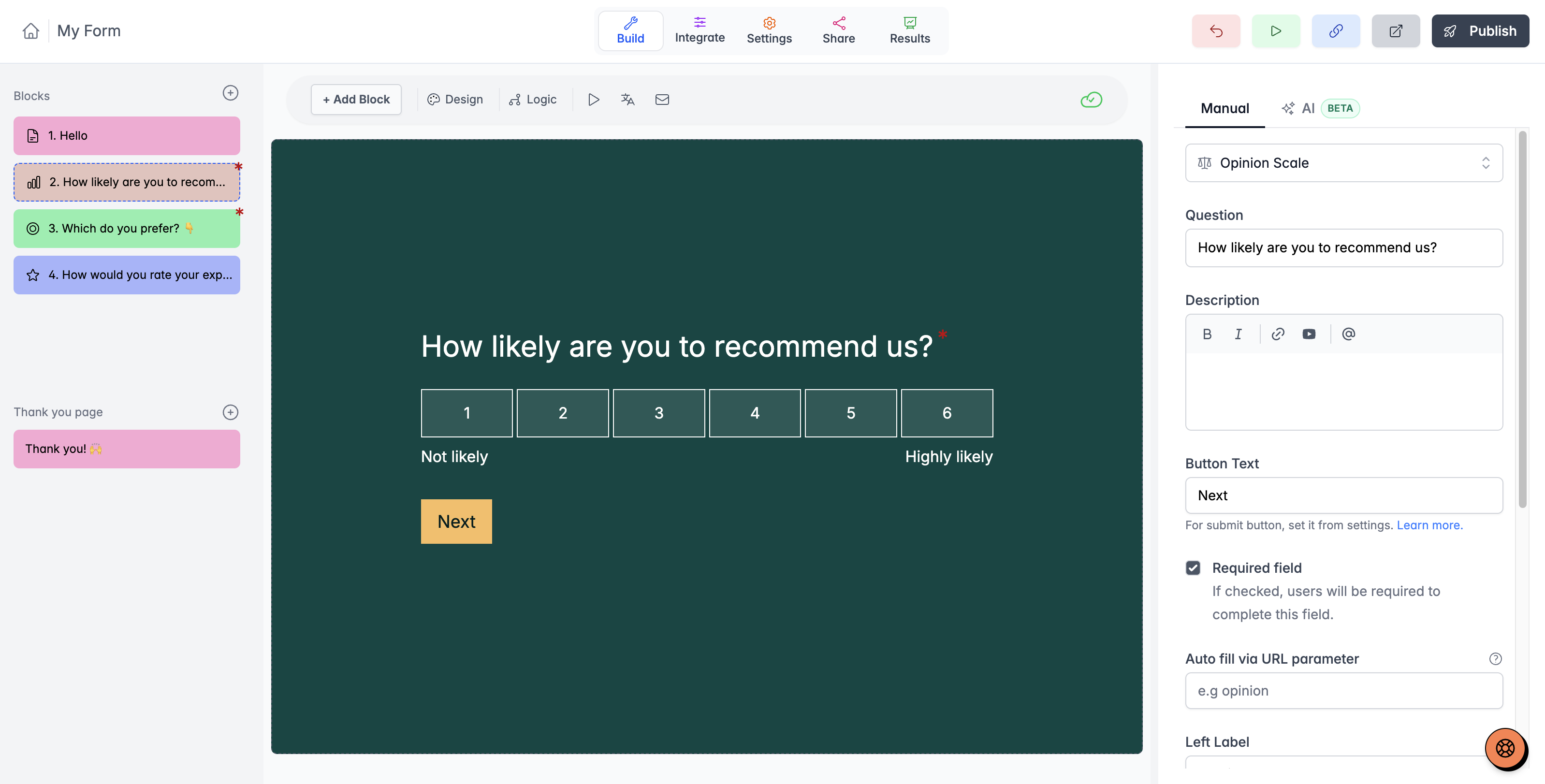
A complete form-building toolkit
- Contact and text: names, email, phone, address details, short and long text, numbers, and URLs.
- Choice: single choice, multiple selection, dropdowns, picture choices, and dates.
- Ratings and feedback: star ratings, opinion scales, NPS, ranking, and matrix questions.
- Files and signatures: collect supporting files and a drawn signature alongside the answers. File-upload allowances depend on the plan.
- Scheduling: Calendly, Cal.com, SavvyCal, and TidyCal blocks collect context before booking and can prefill supported name/email details.
- Payments: add Stripe payment collection, including amounts based on earlier answers.
Choose a question type that fits the answer you need. Compare Free and Pro allowances before planning file, payment, or branding requirements.
Design the first question and the last impression
Choose colors, fonts, background images, brightness, alignment, and rounded corners. Start with a theme and reuse a consistent appearance across your forms. Adding your logo or uploading custom fonts requires Pro.
Give the ending a clear purpose: explain what happens next, show useful information, or offer a next-step link. Custom thank-you pages and URL redirects follow the Pro plan. Quiz outcomes can give different respondents different results.
Explore form templates for a starting point, then make the questions and appearance fit your audience.
Manage submissions and understand performance
- Search and review responses, download a CSV, and use summaries to understand recurring answers.
- Track form views, starts, completions, and completion rate.
- Use advanced analytics and question-level drop-off with Pro.
- Capture partial submissions and send refill links with Pro.
- Review the audience and contents before sharing a summary or report link.
A completed submission, a started form, and a partial response are different events. Keep those definitions clear when reporting performance.
Connect apps and send branded notifications
Use direct connections such as Google Sheets, Slack, and webhooks, or build an automation through Zapier or Make. The integration directory distinguishes direct connections from automation recipes and tracking tools.
For a custom integration, use the documented API and check that the endpoints support the operation you need. Provider plans, permissions, and usage limits apply separately.
Email notifications to yourself are available on Free. Pro adds respondent emails and further email customization. Custom sender settings let your messages use the sender name, reply-to, subject, and wording that fit your process. Custom email-domain setup has its own account configuration requirements.
Read the custom email-domain setup guide before choosing the sending configuration.
Access, privacy, and teamwork
Use spam and duplicate-submission controls appropriate to the form, and review its access settings before publishing. Anonymous Survey mode changes the identifying metadata stored with new responses and displays a badge explaining the setting.
Forms use HTTPS. Review the privacy policy and the product’s current security documentation for your data-handling requirements; a feature list does not by itself establish compliance for your organization.
Organize forms with workspaces and folders, and invite collaborators on the relevant plan. Free includes one user; Pro and Business include team allowances shown on the pricing page. Give people access according to what they need to manage.
On Business, enable email or phone verification with one-time codes. Phone verification requires your own Twilio account and messaging charges. The Business activity log lets the organization owner review changes and export a CSV. Read about email verification, phone verification, and the activity log.


